Drawing
Production drawing
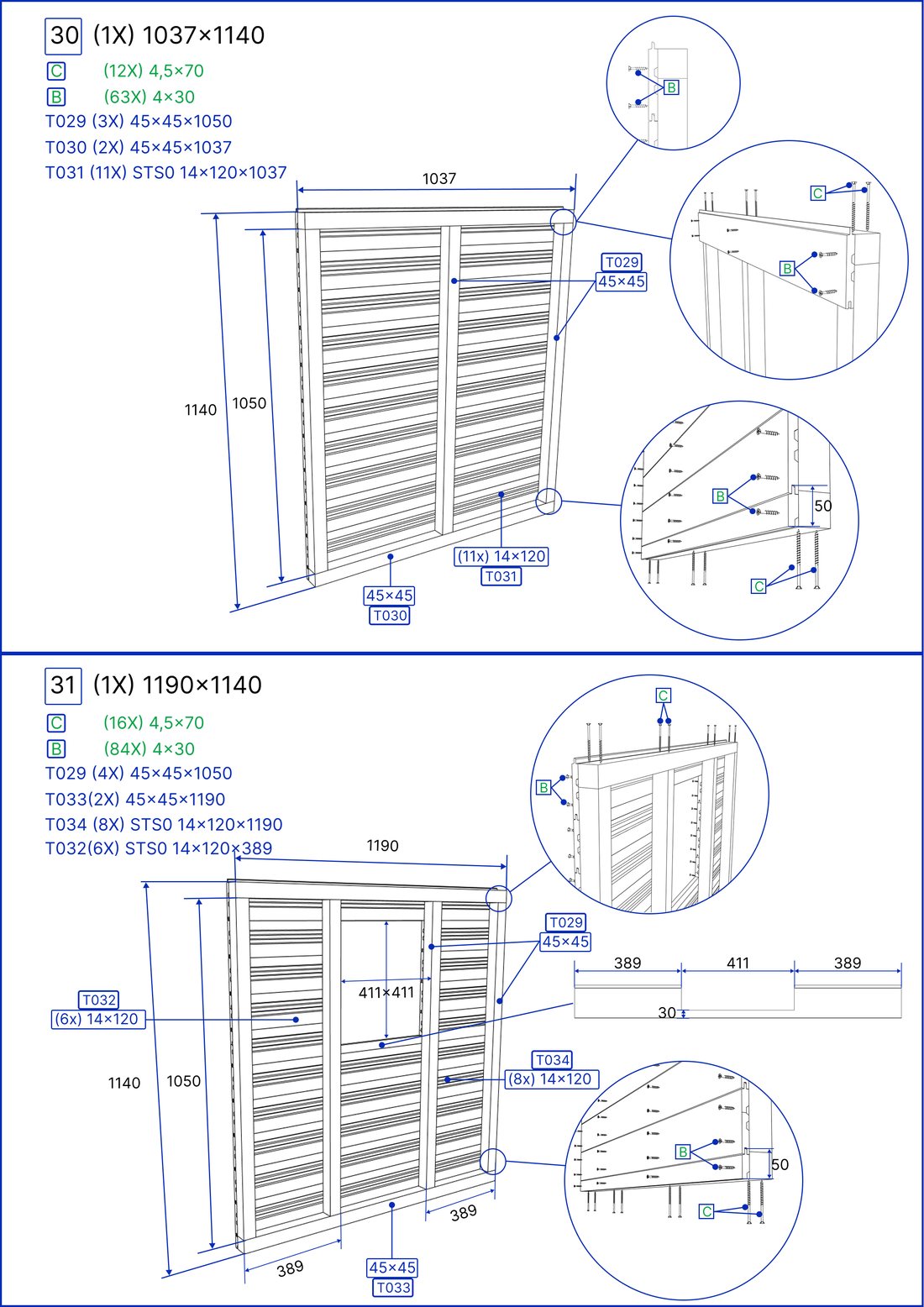
Views, dimensions and part marks on one sheet.
Assembly drawings, a parts list, cutting lists and a saw-line list — all from the same model, so a part has the same number on the drawing, in the manual and on the workshop floor. Problems show up in the model before the first cut, not on the saw.
The structure and the joints as they will be built — the basis for everything else.
Sub-assembly sheets where every piece has its own mark and dimensions.
Every part with dimensions, quantity and a picture.
Cutting dimensions by cross-section, with angles and cut-outs listed separately.
The same part number on the drawing, in the installation manual, in the configurator and in the training game.
We check existing projects and bring them into one consistent production system.
You send a 3D model (SketchUp, FBX, STEP, IFC, Revit…), old drawings or a sketch with dimensions.
We model the structure and joints, check the details and agree on the numbering.
You get drawings, the parts list and cutting lists as PDF and as files your workshop can use.
Views, dimensions and part marks on one sheet.
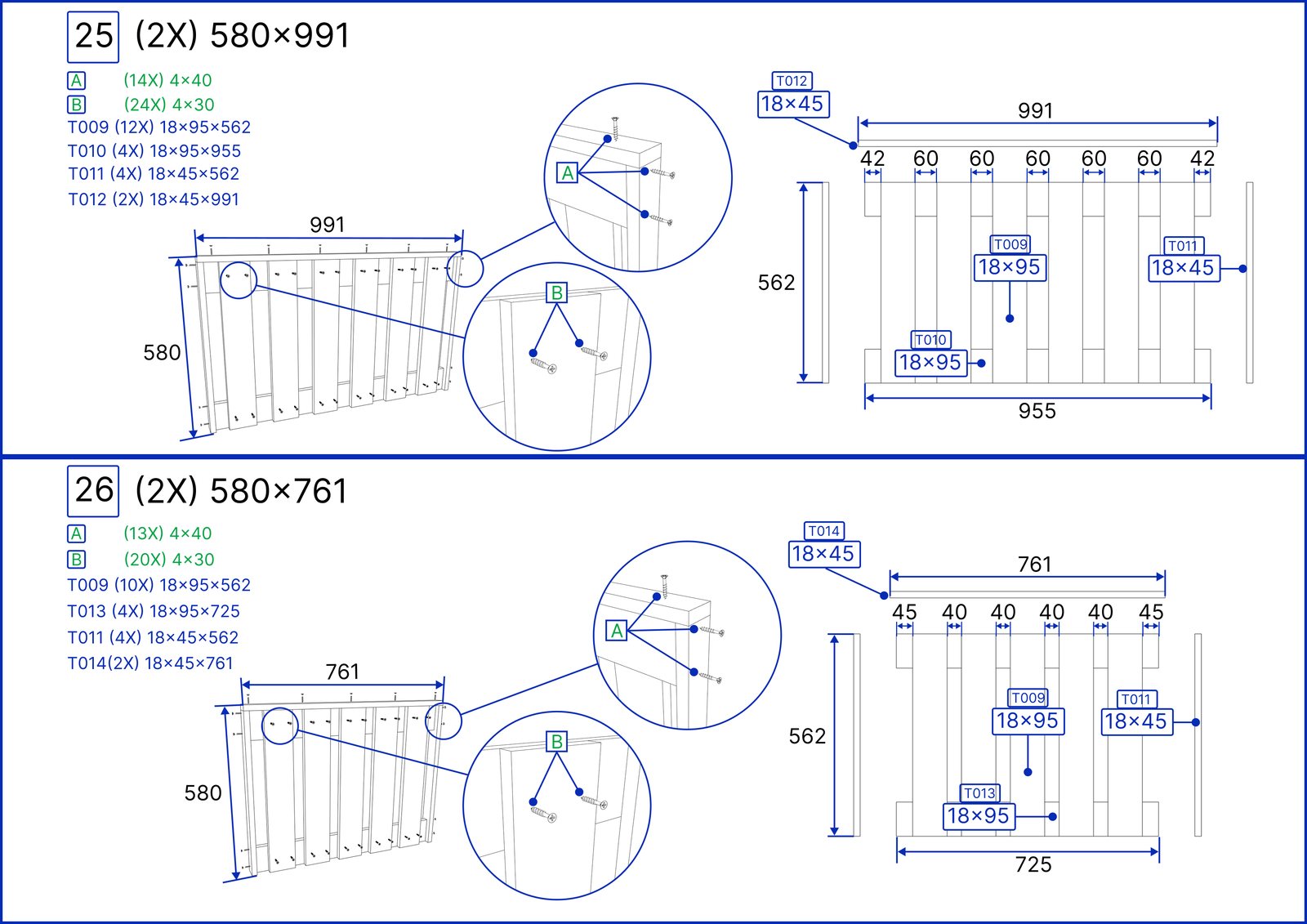
20 sub-assemblies, every piece with its own mark.
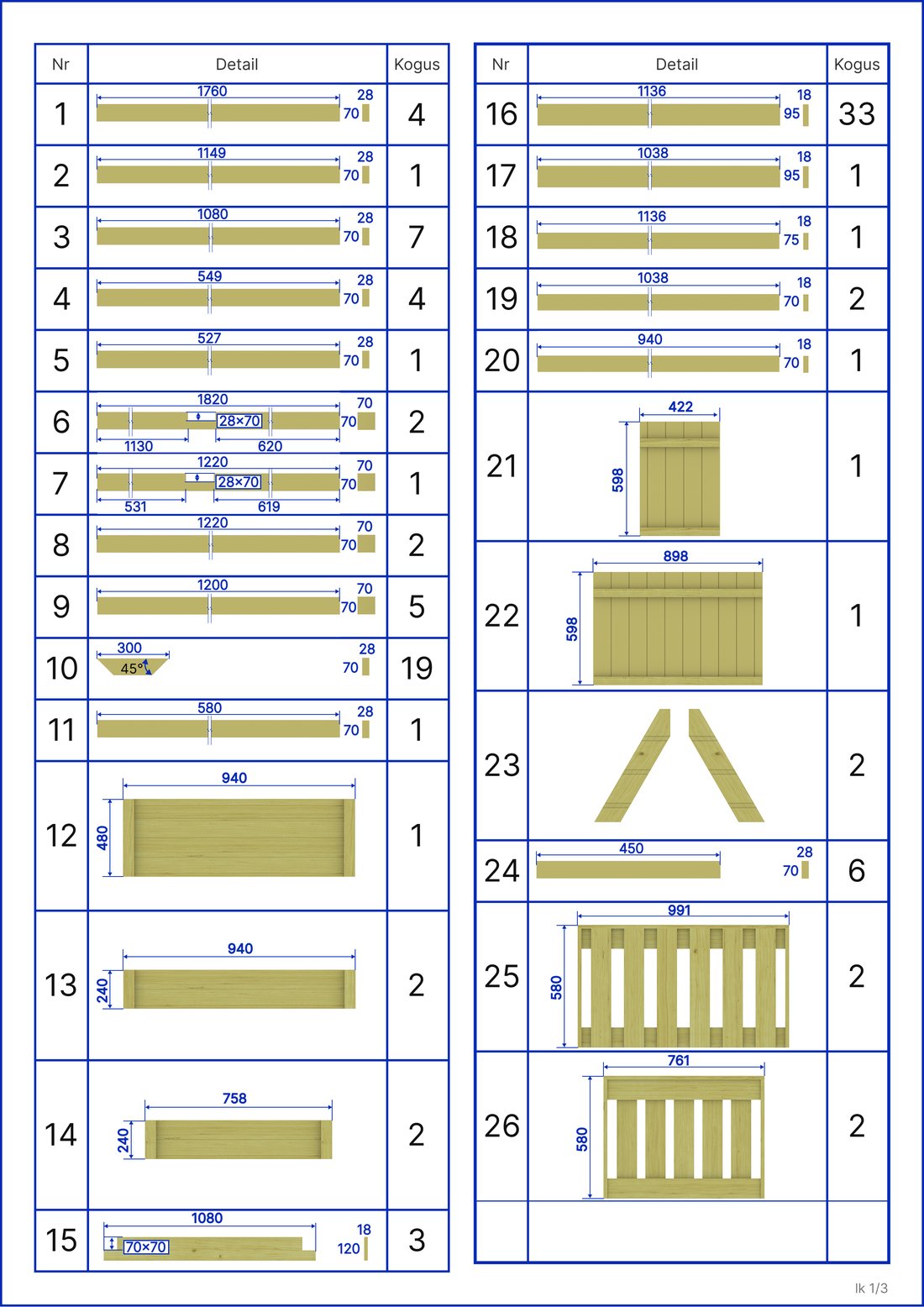
Every part with dimensions, quantity and a picture.
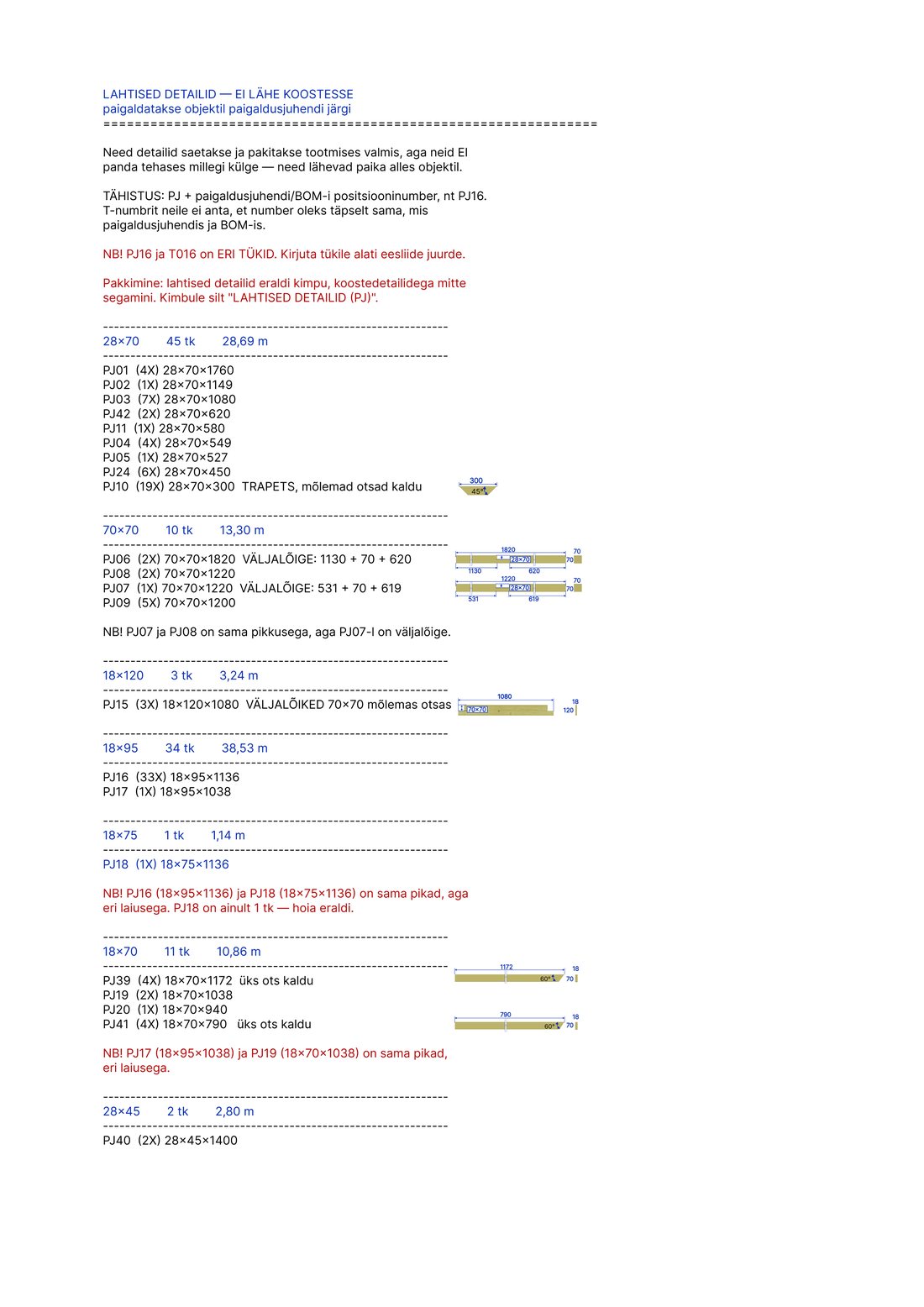
Cutting dimensions by cross-section, angles and cut-outs separately.
Ideally an existing 3D model — SketchUp, FBX, STEP, IFC, Revit or similar. Old production drawings or a sketch with the main dimensions also work.
PDF for printing and sharing; on request also DWG/DXF or the format your workshop uses.
Yes — a documentation audit checks existing projects for conflicts and brings them into one production logic and numbering.
Yes. That is the point of one model: drawings, manuals, configurator, AR and animation all come from it.
A browser-based 3D configurator where the buyer builds your product: models, sizes, materials and extras, live price and AR. No app. Built in Estonia.
Web augmented reality for manufacturers: the buyer places your product in their own yard or room at full size, straight from the product page. No app needed.
Step-by-step installation and assembly manuals from your 3D model: parts, positions, connections, fasteners and a safety zone plan.
You don't need a model, a drawing or a brief. A link to the product page and one sentence about what you'd like is enough. We reply the next business day.